
 SG
 MY
 HK
 Global
What Is a Notice of Error in XBRL Filing and When Do You Need One?
Introduction
All Singapore companies that have to file in XBRL live with a lingering threat: what if there is an error or discrepancy that is not detected before the annual return is processed by ACRA?
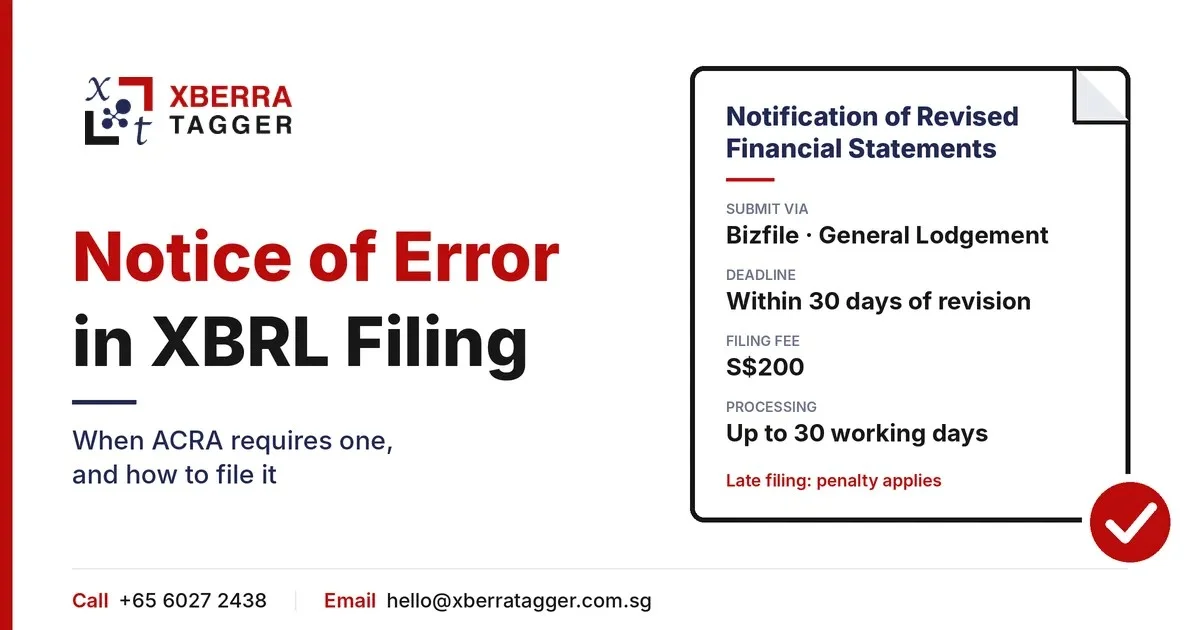
A Notice of Error (NOE) is ACRA's official process for correcting certain errors in documents previously filed with ACRA. For errors in previously filed XBRL financial statements, companies should follow ACRA's Notification of Revised Financial Statements process through Bizfile, where applicable.
Here is what you will learn in this simple-to-use guide:
- What a Notice of Error (NOE) really is
- When you must send a Notice of Error
- How to create your NOE in BizFinX, step by step
- How to avoid errors in BizFinX and why it is so important
What Is an ACRA Notice of Error?
A NOE may be used to correct some errors that have been filed with ACRA. A NOE is not to be used for errors in previously filed XBRL financial statements; companies should use ACRA's Notification of Revised Financial Statements in such instances.
This is different from an amendment filed prior to acceptance: a Notice of Error is filed after ACRA has accepted the initial filing. Why does this matter? Corrections in the Annual Return and its XBRL financial statements, after they have been filed with ACRA, must be submitted via the relevant ACRA filing procedure. For XBRL financial statement errors, the correction procedure is the relevant Notification of Revised Financial Statements process via Bizfile.
Quick Definition
Notice of Error (NOE) – ACRA's process for correcting certain errors in previously filed documents.
For XBRL financial statement errors: Use the Notification of Revised Financial Statements process.
Submission platform: Bizfile.
Filing deadline: Revised financial statements must generally be filed within 30 days of the date of revision, where applicable.
Be careful to differentiate the Notice of Error from the following other actions:
| Action | When It Applies |
|---|---|
| Pre-submission edit | Correct errors before filing the Annual Return. |
| XBRL file replacement | Replace an incorrectly uploaded XBRL file before filing the Annual Return, where the upload is still available. |
| Notification of Revised Financial Statements | Correct errors in previously filed XBRL financial statements or file revised financial statements through the applicable ACRA process. |
| General NOE | Correct eligible clerical, typographical and other filing errors through Bizfile General Lodgement. |
What Errors Qualify for a Notice of Error?
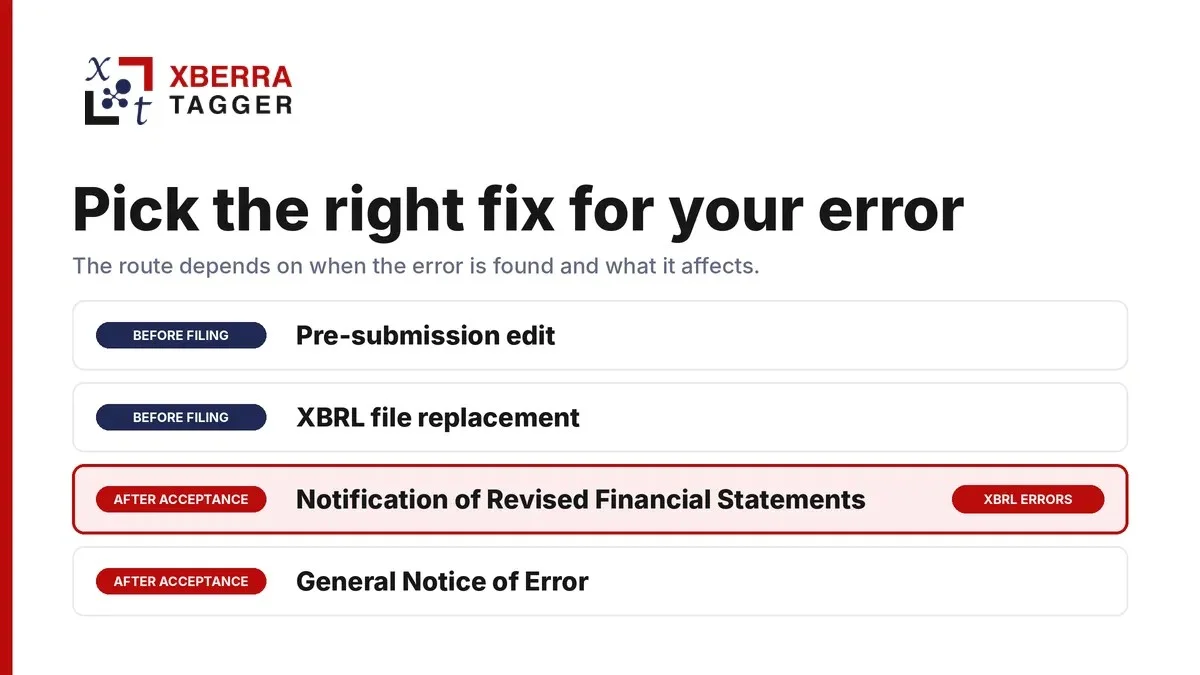
Not all errors are worthy of a NOE. ACRA distinguishes between clerical or typographical errors, other filing errors and errors in previously filed XBRL financial statements. The appropriate correction procedure depends on the type of error and the filing affected.
Common XBRL Filing Errors That May Require Correction
See our guide to common XBRL filing errors. Typical examples include:
- Misreported revenue, profit, total assets or liabilities, i.e. incorrect figures in the tagged XBRL.
- Incorrect financial year-end or reporting period entered in the XBRL filing.
- Line items incorrectly classified (for example, current instead of long-term).
- Missing required financial statement information or disclosures in the XBRL filing, where these are included in the AGM financial statements and required under ACRA's filing requirements.
- Differences in fact between the data values of the XBRL and the PDF financial statements.
- Incorrect company identification details, such as the UEN or company name, in the Annual Return or XBRL filing.
- Incorrect equity or share capital values.
Mistakes That Do Not Necessarily Need a NOE
- Small rounding differences: Minor differences caused by rounding between XBRL figures and financial statements.
- Optional disclosures: Information that is not required or not disclosed in the financial statements.
- Formatting differences: Minor differences in spaces or text formatting that do not change the meaning of the financial information.
⚠️ Important Notice
The correction procedure depends on the type of error. For errors in previously filed XBRL financial statements, follow ACRA's Notification of Revised Financial Statements process through Bizfile. The applicable filing deadline is within 30 days of the date of revision. Other eligible filing errors should be corrected as soon as they are discovered.
When Do You Need to File a Notice of Error?
For eligible clerical, typographical and other filing errors, ACRA advises companies to file an NOE as soon as the error is discovered. For revised financial statements, the filing must generally be completed within 30 days from the date of revision, which is the date the directors approve the revised financial statements.
There are also consequences for late lodgement of your NOE:
| Scenario | Consequence |
|---|---|
| Correction identified before the applicable correction deadline | File through the relevant ACRA procedure within the applicable timeframe. |
| Revised financial statements filed after the 30-day deadline | ACRA states that a late lodgement penalty will apply. |
| Error identified by ACRA | ACRA may take action depending on the nature of the filing error and applicable requirements. |
| Filing error remains uncorrected | The consequences depend on the nature of the error and the applicable requirements under the Companies Act. |
Step-by-Step: Filing a Notice of Error on BizFinX
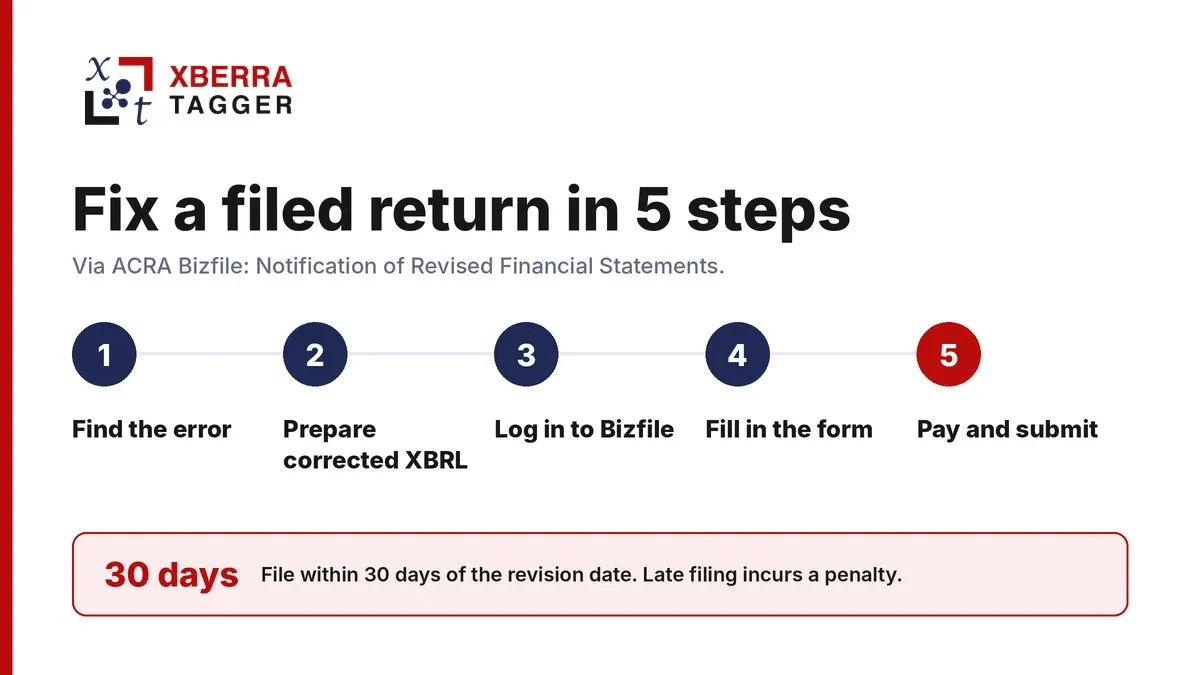
Step 1 — Find the Error and Write It Down
Before accessing Bizfile, document the error, the correct information, the affected XBRL data elements and the original filing transaction number. Prepare any supporting documents required for the correction.
Step 2 — Prepare the Corrected XBRL File
Create a corrected, validated XBRL instance document with your tagging software or filing agent. Prepare the corrected XBRL file according to the applicable ACRA filing requirements. Do not assume that changing the taxonomy version will automatically result in rejection.
Ensure that the revised XBRL information agrees with the revised financial statements. Where the financial statements themselves need revision, prepare and submit the revised financial statements and supporting documents in accordance with ACRA's requirements.
Step 3 — Log In to BizFinX and Access Your Filing
Log in to ACRA Bizfile and access the General Lodgement eService. Select "File Notice of Error" and choose "Notification of Revised Financial Statements" where applicable to correct errors in previously filed XBRL financial statements.
Step 4 — Fill Out the NOE Submission Form
Complete the relevant application and upload the revised financial statements and supporting documents. These must include a new directors' statement explaining the revisions and the non-compliance, and an amended auditor's report where applicable.
Step 5 — Pay Any Applicable Fee and Submit
Pay the applicable filing fee and submit the application. ACRA's published fee for a Notification of Revised Financial Statements is S$200, with a processing time of up to 30 working days. If approved, ACRA will tag the NOE transaction and revised financial statements to the original annual return. The original financial statements remain available in ACRA's records.
💡 Pro Tip: Filing Agents Can Help
If you engaged a corporate service provider (CSP) to prepare or file your original XBRL financial statements, you may engage the provider to submit the relevant Notice of Error (NOE) on your behalf, where authorised.
Common XBRL Mistakes Causing a Notice of Error
Finding the root causes of errors helps companies put in controls to avoid them. These are the most common root causes of errors in Singapore XBRL submissions:
- Input errors: transposition errors of values taken from the financials into the software.
- Taxonomy inconsistencies: applying SFRS(I) tags to SFRS entities, or vice versa.
- Outdated filing tools or taxonomy: using an outdated BizFinx Preparation Tool or an incorrect ACRA taxonomy may cause compatibility or filing errors.
- Rounding issues: figures in thousands in XBRL versus full dollar units in the financials.
- Incorrect reporting period: tagging the previous year's comparison period rather than the current year.
- Wrong company identifier: wrong UEN, or a company name change not updated in the entity header.
- Missing required tags: required tags left out (e.g. notes to the financial statements).
Consequences of Non-Compliance and Penalties
The consequences of XBRL filing errors depend on the nature of the error and the applicable ACRA requirements. For revised financial statements, the following points are important:
- Late lodgement penalty: Revised financial statements must be filed within 30 days from the date of revision. ACRA may impose a late lodgement penalty if they are filed after this period.
- Other enforcement action: Any enforcement action depends on the nature of the underlying offence and the applicable Companies Act requirements.
- Public registry: Original financial statements remain available in ACRA's records even after revised financial statements are approved. ACRA tags the NOE transaction and revised statements to the original annual return.
How to Avoid XBRL Errors Before You Get a Notice of Error
1. Use a Qualified XBRL Service Provider
Choose a Singapore XBRL service provider familiar with the current ACRA taxonomy, the BizFinx Preparation Tool and the applicable validation rules. Look for experience in preparing Simplified XBRL and Full XBRL, where relevant to your company's filing requirements.
2. Run BizFinX Pre-Validation Prior to Submission
The BizFinx Preparation Tool includes validation checks to identify genuine errors and possible errors in the XBRL file. Correct genuine errors before filing. Review possible errors carefully; if the information is correct, you may acknowledge the warnings and proceed where permitted by ACRA.
3. Verify the Reconciliation
Make sure every XBRL value matches the corresponding line in the signed-off PDF financial statements. A simple cross-check table in Excel comparing the XBRL values to the financial statements will quickly surface common errors.
4. Check the Taxonomy Version
Verify that your filing agent or software uses the current ACRA taxonomy and the applicable XBRL filing requirements. ACRA updates its taxonomy and filing tools from time to time, so check the latest requirements before preparing your XBRL file.
5. Review After Acceptance
Create a post-acceptance review step in your annual return process. Download the accepted XBRL filing in Bizfile+ and ensure the data looks correct. It is much cheaper to spot a mistake in this review than during an audit a couple of years later.
FAQs
Will a Notice of Error change the original filing date?+
No. The original filing remains in ACRA's records. If the NOE is approved, ACRA tags the NOE transaction and revised financial statements to the original annual return. Both the original and revised financial statements remain available in Bizfile.
Is it possible to retract an XBRL submission instead of filing a Notice of Error?+
Annual Return withdrawal is subject to ACRA's applicable withdrawal requirements and circumstances. If an accepted XBRL financial statement contains errors, follow ACRA's Notification of Revised Financial Statements process where applicable.
What should I do if my XBRL provider made the mistake?+
The company should ensure that any filing error is corrected, even if the error was made by its XBRL service provider. The company may also review its service agreement to determine whether it can seek reimbursement or other remedies from the provider.
Does BizFinX 2 verify the financial data?+
The BizFinx Preparation Tool performs validation checks on the XBRL file, including structural and business-rule checks. However, passing validation does not guarantee that the financial information is factually accurate or agrees with the source financial statements. The company remains responsible for checking the accuracy of the information before filing.
How long is the processing time of ACRA for a Notice of Error?+
Processing time depends on the type of NOE. ACRA lists a processing time of up to 30 working days for revised financial statements and up to 7 working days for other NOE applications. ACRA will email the outcome after processing.
Having Trouble Filing a Notice of Error or Trying to Avoid Future XBRL Errors?
Filing a Notice of Error under time constraints, while juggling an audit cycle or a refinancing? Xberra Tagger's XBRL experts can help prepare the revised XBRL financial statements, supporting reconciliation and the relevant correction application, subject to the required authorisation and filing arrangements.
We also provide pre-submission XBRL reviews for companies seeking an independent check of their tagged data before the annual return is lodged, the most economical way to avoid a NOE altogether.
Ready to get started? Visit xberratagger.com.sg or connect with our filing team NOW! +65 60272438